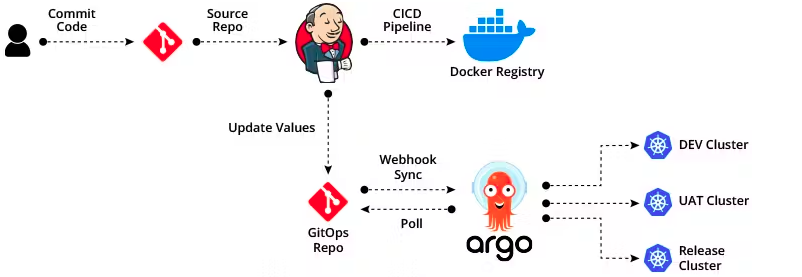
Exposing ArgoCD Using NodePort + External Nginx Reverse Proxy
ArgoCD is a popular GitOps continuous delivery tool for Kubernetes. When deploying in a production-like environment, you often need to expose it securely through an external reverse proxy like Nginx, especially when using NodePort services. This guide shows how to do it safely, including how to update ArgoCD’s ConfigMaps to prevent redirect loops.
1. Deploy ArgoCD with NodePort
By default, ArgoCD uses ClusterIP services. To expose it externally:
- Edit the
argocd-serverservice:
kubectl -n argocd edit svc argocd-server
- Change the
typefromClusterIPtoNodePortand optionally specify a port:
spec:
  type: NodePort
  ports:
    - name: http
      port: 80
      targetPort: 8080
      nodePort: 30080 # NodePort for HTTP
    - name: https
      port: 443
      targetPort: 8080
      nodePort: 30443 # Optional NodePort for HTTPS
- Save the file and verify:
kubectl -n argocd get svc argocd-server
2. Configure Nginx as a Reverse Proxy
We’ll use an external Nginx (outside the cluster) to route traffic from a public domain to the NodePort.
Example Nginx config:
server {
    listen 80;
    server_name argocd.example.com;

    location / {
        proxy_pass http://192.168.1.118:30080;  # NodePort of ArgoCD server
        proxy_set_header Host $host;
        proxy_set_header X-Real-IP $remote_addr;
        proxy_set_header X-Forwarded-For $proxy_add_x_forwarded_for;
        proxy_set_header X-Forwarded-Proto $scheme;

        # WebSocket support (required for ArgoCD UI & API)
        proxy_http_version 1.1;
        proxy_set_header Upgrade $http_upgrade;
        proxy_set_header Connection "Upgrade";

        # Optional timeouts for large syncs
        proxy_read_timeout 300s;
        proxy_send_timeout 300s;
    }
}
Notes:
- Nginx can terminate TLS, but if using Cloudflare Tunnel, you can leave it on plain HTTP.
- Ensure
proxy_set_header X-Forwarded-Proto $scheme;is set to help ArgoCD detect the original protocol.
3. Edit ArgoCD ConfigMap to Avoid Redirect Loops
When ArgoCD is behind a proxy or Cloudflare Tunnel, it may redirect HTTP → HTTPS internally, causing ERR_TOO_MANY_REDIRECTS. To fix:
- Edit the
argocd-cmd-params-cmConfigMap:
kubectl -n argocd edit configmap argocd-cmd-params-cm
- Add or update the following key:
data:
  server.insecure: "true"
- Restart the ArgoCD server deployment:
kubectl -n argocd rollout restart deployment argocd-server
4. Test Access
- NodePort direct access:
http://192.168.1.118:30080
- External domain via Nginx:
http://argocd.example.com
If using a Cloudflare Tunnel, use https://argocd.example.com — it should now work without redirect loops.
5. Key Points
- NodePort vs LoadBalancer: NodePort is simple and works behind an external proxy; LoadBalancer is cloud-specific.
- ClusterIP alone is internal-only.
- ConfigMap
server.insecureis critical when serving ArgoCD behind a reverse proxy with TLS termination handled externally. - WebSocket headers are necessary for ArgoCD UI and API to function properly.
This setup is simple, flexible, and works in on-prem, VPS, or cloud environments where you control your Nginx reverse proxy or use Cloudflare Tunnel.